Key takeaways
- Recheck your provider’s access notice
- Install at the permitted time
- Save support and sufficient data offline
You land in Istanbul, open your phone to check the airport transfer, and discover that the app you bought your data from will not load. It is an unnerving moment, particularly when your hotel address and booking confirmation are in your inbox. But a website failing to open does not automatically mean that your phone has lost mobile service. A Turkey eSIM can use an entirely different technical path from the shop or app where you purchased it.
The important story began in July 2025, when travelers and international eSIM businesses reported restrictions on access to a number of foreign-provider websites and apps from within Turkey. Airalo publicly said its app and website access was affected while installed plans could still connect. Website access, profile installation, mobile network registration, and buying a top-up are separate things. Planning for each step is more useful than treating every eSIM as banned.
Are travel eSIMs actually banned in Turkey?
A Turkey eSIM is not automatically unusable because a foreign provider's website is restricted. Reported measures concern access to certain websites and apps, not a universal shutdown of every downloadable SIM profile. Whether a specific package connects still depends on the mobile operator, supported network, device, and active subscription.
This distinction matters because the phone does not need to visit a retailer’s checkout page every time it transmits data. Once a compatible profile is installed and registered on a local network, the connection can operate under its roaming agreement. Do not describe the situation as a blanket ban on eSIM technology. Check the particular seller's latest notice before departure because access conditions may change. Keep in mind that a Turkey eSIM may function even when its retailer’s local checkout page does not open.
What changed in Turkey, and when?
The Turkey eSIM question became urgent after reports in July 2025 of blocks affecting foreign eSIM service websites and applications. Reports named major international marketplaces, but the status of a particular domain can change. We should not assume that a list from last year proves exactly which storefronts are reachable today.
Airalo said at the time that the access problem did not prevent an already installed Turkey eSIM from connecting and advised users to install before arrival and top up before running out. That is a useful technical distinction, not proof that every other brand behaves the same way. The safest approach is to read the current help notice for your exact provider and retain offline support details. Save a current support email: a Turkey eSIM support case is easier to document with the order number at hand.
Prepare your connection
1Before purchase
Recheck your provider’s access notice
2Before departure
Install at the permitted time
3On your route
Save support and sufficient data offline
Should you buy and install a Turkey eSIM before flying?
Yes, a Turkey eSIM is usually easier to prepare before departure if its validity rules allow early installation. Purchasing through a working connection at home avoids depending on an app you may not be able to access after landing. Installation also gives you time to catch device-lock errors, expired QR codes, and incomplete downloads.
Buy, install, and activate are different events. A package may start counting days at installation, first network connection, or another defined trigger. Read that condition before scanning its QR code. If installing immediately starts the paid period, follow the provider's recommended timing rather than wasting several days of validity. For a Turkey eSIM, package expiry can be more disruptive than a temporary failure of the shopping application.
Can you top up a Turkey eSIM after arriving?
A Turkey eSIM top-up may be difficult if the seller's payment website or account application is unreachable on the local network. An existing data connection does not guarantee continued access to the storefront used to purchase more data. Nor is a new QR code guaranteed to work without a stable internet connection.
For an eight-day trip, estimate how much data you will need for maps, messaging, transport changes, and uploads. A moderate-use example of 0.7 GB per day is 5.6 GB before a buffer; with 20% added, the target becomes about 6.7 GB. This is a planning illustration, not an average or a quoted tariff. If your plan has a supported top-up, save the procedure before departure. Check the Turkey eSIM network partner before leaving a major city for a full-day excursion.
What if mobile data works but your provider app does not?
A Turkey eSIM may have a working cellular connection while an individual provider app fails to open. First test whether other websites and messaging services load using the intended travel-data line. If they do, you have an app-access problem rather than a complete loss of mobile data.
Do not delete the working profile in an attempt to repair the shop app. Many eSIM activation codes are not intended for unlimited reuse, and deleting a profile can create a second problem. Review account details stored offline and contact the provider through an available official channel. Avoid installing unofficial APK files or entering your activation code into unknown websites. If a Turkey eSIM reports an unusual error, record the exact wording before contacting official support.
Which Turkey routes need closer network checks?
Turkey eSIM coverage should be checked for the entire itinerary rather than only the arrival airport. Istanbul, Antalya, Izmir, Ankara and Cappadocia involve different travel patterns, while rural roads and underground spaces can have variable signal. A product's country name establishes the intended territory, not guaranteed reception at every address.
| Travel scenario | Connection issue to plan for | Best preparation |
|---|---|---|
| Istanbul airport arrival | Immediate access to transport details | Install correctly before flying |
| Cappadocia road trip | Rural coverage and limited signal pockets | Download offline maps |
| Antalya coast | Beach, boat and hotel coverage differences | Check local network and hotel Wi-Fi |
| Multi-stop Turkey itinerary | Data use and validity across many days | Calculate full-trip allowance |
| Crossing into Greece or Georgia | New coverage territory | Check border-country inclusion |
The fact that a Turkey eSIM works in one city does not establish signal in every national park or coastal bay. Boat trips can leave terrestrial mobile coverage altogether. Keep essential documents accessible without internet even if you have a generous plan. A Turkey eSIM purchase receipt helps support distinguish a billing problem from a network problem.
Is a local Turkish SIM safer than an international eSIM?
A local physical SIM or locally issued Turkey eSIM may offer a different purchase and support route from an international roaming package. It can make sense for someone who needs a local telephone number or in-person assistance. However, domestic subscription identity and device-registration rules may apply, particularly during longer stays.
An international data-only plan can remain attractive when all you need is navigation, messaging, and booking access. Compare actual network coverage, calling requirements, total cost, and support channels. The right choice is the one you can activate and manage reliably, not automatically the locally branded or globally branded option. If the Turkey eSIM needs a replacement profile, obtain it only through the issuer’s official support process.
What should you do if your Turkey eSIM has no service?
If the Turkey eSIM has no signal, confirm the profile is installed, enabled, and selected for mobile data. Follow the issuer's roaming instructions for that specific line; some travel products require data roaming because they operate through local partners. Confirm that Turkey is listed on the purchased package and that validity has started.
Try a short airplane-mode cycle in an area with good reception, then check the supported operator. If signal bars appear but no data loads, verify only the APN values provided by the issuer. Do not switch roaming on for the home line indiscriminately: doing so can create charges on your regular subscription. For a Turkey eSIM, check that the intended profile is the line showing an active network connection. A Turkey eSIM with an unknown expiration date is a poor choice for a tightly scheduled multi-stop trip.
The preflight checklist that prevents most surprises
A Turkey eSIM should be treated as a travel essential to prepare alongside boarding passes and accommodation details. A few minutes of preparation can eliminate the hardest troubleshooting steps after a long flight. Use this checklist while you have reliable Wi-Fi and a second way to communicate.
- Confirm that the exact phone is eSIM-compatible and carrier-unlocked.
- Verify the provider's latest notice about app and website access in Turkey.
- Read the activation trigger and install at the permitted time.
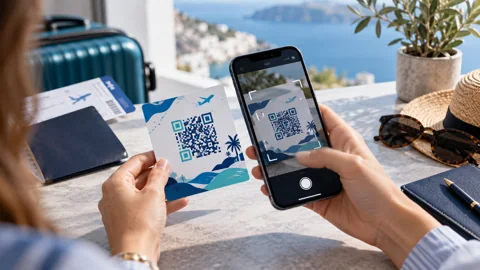
- Save the QR-code instructions, support contact, and order information offline.
- Buy enough data for the whole stay or confirm a workable top-up method.
- Download maps, transport bookings, and the hotel address for offline use.
- Set the travel profile as the data line and review home-SIM roaming charges.
The real risk is being unable to manage or replenish a service after arrival, not necessarily losing the radio connection itself. Treat every provider announcement as time-sensitive and recheck it shortly before travel. Before selecting a Turkey eSIM, confirm whether the package supports data sharing if you will carry a laptop.
Required data = estimated daily GB × travel days × (1 + buffer / 100)
How much data should you plan for?
A simple planning estimate, based on your own expected use.
Frequently Asked Questions
Is using a digital SIM illegal in Turkey?
A restriction on a seller’s website does not by itself establish a prohibition on embedded-SIM technology. Reports have concerned access to certain overseas sellers’ sites and apps. Confirm applicable rules and your provider’s current instructions before travel.
Will an installed Airalo plan still connect after landing?
Airalo previously said its installed plans could connect despite access restrictions affecting its app and website. That statement does not guarantee service in every location or at every future date. Check current availability, network support, and the individual package before departure. The Turkey eSIM profile should remain installed until the provider confirms any safe reinstallation steps.
Can I install the plan at Istanbul Airport?
Installation may be technically possible over a usable internet connection, but the seller's application or activation flow could be difficult to reach. Preparing the profile before arrival is usually less risky when the plan's rules permit it. Do not assume airport Wi-Fi fixes a blocked storefront.
Can I keep my American phone number?
Many dual-SIM phones let you keep your home line while a Turkey eSIM supplies data. Calls and SMS on the home line may still be subject to international roaming fees. Check the default data and voice lines before using the phone.
Should I buy a digital or physical SIM?
Choose based on device compatibility, local-number needs, availability of purchase support, and total trip cost. A digital product prepared before departure can be convenient. A local physical card may suit a longer stay or a phone without eSIM support.
My quick checklist
Your choices stay in this browser.
0 of 3 checked
Sources and current conditions
Provider features and eligibility can change. Consult the current product and device instructions.