Key takeaways
- Use issuer’s QR or app
- Install with internet access
- Validity starts per plan rules
An eSIM QR code provides digital subscription provisioning information so a compatible unlocked phone can install an eligible mobile plan. An eSIM QR code gives a compatible device information needed to begin downloading or activating a digital mobile subscription. The phone uses the code through its eSIM setup process, typically while connected to Wi-Fi or another internet connection. This eliminates the need to insert a physical SIM card.
Scanning the code does not always mean that the travel package's paid validity period has started. Installation and service activation can be separate events depending on the product. Travelers should read the provider's rules before downloading the profile.
What Does a Digital SIM Activation Code Contain?
An eSIM QR code supplies activation information to the phone's built-in digital SIM setup, usually so a provider profile can be downloaded over internet access. An eSIM QR code is an activation method supplied by a mobile service provider. It typically directs the device to the provisioning information needed to obtain the relevant eSIM profile. The details are processed by the phone's built-in eSIM management system.
A QR code is not itself the mobile-data allowance. It is not the same as a usable telephone number. An eSIM QR code contains provisioning details rather than a normal telephone number or prepaid gigabytes. It is also not a guarantee that the local network is available at the travel destination.
The code should be treated as sensitive account-related information. Sharing it publicly can expose activation details that are intended for the purchaser's device.
A traveler should be connected to reliable internet before beginning provisioning, because the QR image itself is not the downloaded subscription. The iPhone requests information from the mobile provider during setup, and a failed connection can interrupt the process. Check whether the resulting line is visible in Cellular settings before scanning again. If the phone displays an error, save the exact wording. The support team can use that information to distinguish an already-used code from a device or account restriction.
Install with confidence
1Check your exact phone
Confirm eSIM support, original sales region and carrier-unlocked status before buying.
2Get issuer instructions
Use the purchased plan’s QR code, official app or supported manual installation details.
3Install with internet access
Follow the instructions for your device and read whether installation starts validity.
4Select the travel data line
At the plan’s required activation time, select the correct data line and follow its roaming and APN instructions.
How to Install a Travel Profile on iPhone
To scan an eSIM QR code on iPhone, open Settings > Cellular > Add eSIM, choose the supported QR method and follow the issuer's instructions. Apple supports several installation methods, including QR codes, carrier links, applications and manual entry. On a compatible unlocked iPhone, open Settings and select Cellular. Choose Add eSIM and follow the option to use a QR code.
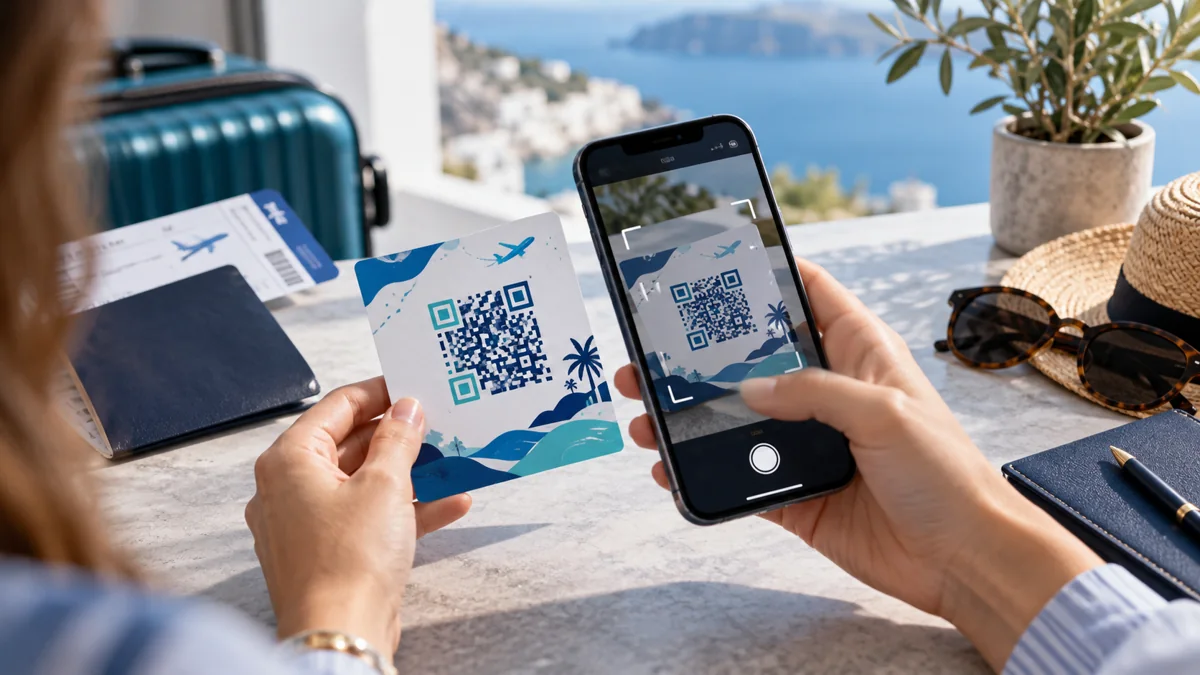
Position the QR code within the scanning area if it is displayed on another screen or printed document. The phone should guide you through downloading the mobile plan. Confirm the plan only when the details match the purchase.
An internet connection is generally required during installation. Use reliable Wi-Fi or another suitable connection. Do not begin the process when you are about to lose access to the installation instructions.
Displaying the activation details on a second device is a practical alternative when the intended phone cannot scan its own screen. Some supported iPhones also provide a built-in way to recognize compatible codes from an email or browser without using another camera. The exact functionality depends on iOS version and the issuer's supported method. Avoid sending activation images through public channels just to move the code to another screen. Treat the provisioning details as account information intended for the purchaser.
What If the QR Code Is on the Same iPhone?
If the eSIM QR code appears on the same iPhone, supported iOS versions may offer press-and-hold installation or a provider-approved alternative. On supported iPhone software, Apple provides an alternative to scanning a code displayed on another device. With iOS 17.4 or later, a compatible QR code received in an eligible email or browser can be pressed and held to access Add eSIM. Availability depends on the content and device.
Another option is to display the code on a laptop, tablet or second phone. Some providers also support installation through an app or carrier link. Choose the method supported by the specific service rather than improvising unsupported steps.
Do not confuse the installation menu with mobile network activation. After a successful download, the new profile may appear in SIM manager while remaining out of coverage until arrival. Use the tariff's documented activation conditions to interpret that state. A carrier may provide a manual address and confirmation code as an alternative to scanning, but only official values should be used. If the code already appears to be consumed, request issuer help instead of repeatedly deleting and reinstalling profiles.
How to Install an eSIM QR Code on Samsung Galaxy
For Samsung, scan an eSIM QR code through Connections > SIM manager > Add eSIM using the phone's official activation flow. On a supported Samsung Galaxy phone, open Settings and select Connections. Go to SIM manager, choose Add eSIM and select the QR-code installation option. The exact wording can differ by software version.
Scan the provider's code and follow the on-screen instructions. Keep the phone connected to a reliable internet service while the profile downloads. A valid eSIM QR code does not substitute for the internet connection usually needed during installation. Once installed, review the new line under SIM manager.
Samsung also supports manual activation information on eligible devices and services. If scanning fails, use the official alternative provided with the purchase. Avoid entering unrelated activation codes.
Pixel menus can differ by Android generation, network operator and regional device configuration. Check that the selected phone model supports digital SIM provisioning and that it is unlocked for another provider. If installation succeeds, distinguish a stored profile from an active data line. The chosen mobile-data line may need to be switched after arrival. An installed profile alone does not establish that the product includes the current country or that a compatible local network is available.
How to Install an eSIM on Google Pixel
On Pixel, an eSIM QR code can be used through Network & internet SIM setup where the model and provider support the QR method. Supported Google Pixel phones manage SIM profiles through Android's network and SIM settings. Open Settings, choose Network & internet and find the option to add a SIM or eSIM. Follow the instructions for downloading a digital profile.
The exact screens depend on the Pixel model and Android version. If QR-code scanning is offered, use the activation code supplied by the provider. Ensure the phone is unlocked and has internet access.
If the profile does not appear after installation, verify whether the process actually completed. Do not repeatedly scan the same code without checking the provider's instructions.
The correct backup is not simply a screenshot of the old provisioning graphic. Save the purchase confirmation, provider login, destination list, activation policy and customer-support contact. If the phone is lost, the issuer may require a secure process to reissue the profile, and a previously scanned code may no longer work. Travelers should not remove an active profile until they understand the product's transfer conditions. This is especially important during a trip when the phone may be the only device with internet access.
Can You Reuse the Same Activation Code?
You cannot assume an eSIM QR code is reusable after installation because many providers restrict downloads or require reissue. Not necessarily. Many activation codes are intended for a specific subscription installation and may be limited to one successful download. A code that worked previously may not be accepted on a replacement phone.
Some carriers support transferring a profile or reissuing activation information. The eSIM QR code may be single-use, so obtain reissue instructions before removing the old profile. Others require customer support. Never assume you can delete a working travel eSIM and restore it by scanning the original QR code.
The correct procedure depends on the subscription. Check transfer and reinstallation policies before removing a profile.
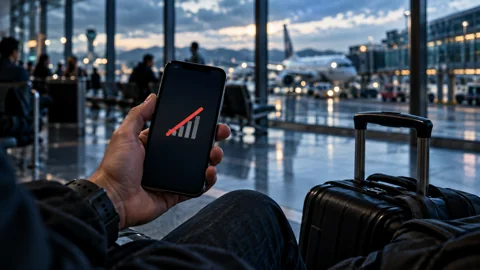
There are at least three different failure states: the camera cannot recognize the printed image; the image is recognized but provisioning is rejected; or the profile installs and then fails to connect. Each needs a different response. Check image legibility only for the first problem, activation status and account eligibility for the second, and network coverage or data settings for the third. Trying repeated QR scans against a network-coverage problem cannot improve reception. A diagnosis based on the displayed error is more useful than arbitrary settings changes.
What If the Activation Code Does Not Scan?
If an eSIM QR code will not scan, verify its image, the correct built-in setup method, the phone's unlock status and whether the code expired. A scanning failure can occur because of image quality, an unsupported setup method or device restrictions. First confirm that the phone is eSIM-capable and unlocked. Then ensure that the code is clear and fully visible.
Try the installation method supported by the device and provider. If the code remains unreadable, look for official manual activation information or an application-based method. Avoid scanning the code through unrelated third-party apps.
A code may also have expired or already been used. In that case, only the issuing service can confirm whether a replacement is available.
What If the Code Scans but the eSIM Will Not Install?
If the eSIM QR code scans but installation fails, check internet access, profile status and carrier restrictions before changing anything else. Successful scanning does not guarantee that the profile can be downloaded. The device may lack internet access, have a carrier lock or encounter a provisioning problem. Software updates or account conditions can also affect setup.
Check the error message and whether the profile already appears in SIM settings. Restarting the device may help with temporary issues, but should not be the first response to every error. Contact the provider with the exact message if the problem persists.
Do not delete existing working SIM profiles while troubleshooting an unrelated activation. This can create additional connectivity problems.
Early installation can be convenient when validity begins only at destination connection, but some tariffs start their clock at installation or another defined event. A five-day profile activated too early could expire before the last day of the trip. Read the purchase terms and save them with the itinerary. When permitted, install at home over dependable Wi-Fi and label the travel line clearly. On arrival, check that cellular data uses the intended line and that the issuer's roaming instructions are followed.
When Should You Scan the QR Code Before Travel?
Scan an eSIM QR code before departure only when the package terms allow early installation without shortening its useful validity. The correct timing depends on when the plan's validity begins. Some travel packages can be installed days before departure without starting the paid period. Others may begin validity when installed or under other defined conditions.
Read the activation policy before scanning. An eSIM QR code should be scanned only after the start-of-validity rule has been verified. If early setup is permitted, installing over reliable home Wi-Fi can reduce stress on arrival. If installation immediately starts the clock, wait until the appropriate time.
Protect QR provisioning details in the same way you protect other subscription credentials. Avoid posting them publicly or asking unrelated applications to interpret them. If you need to share an error with support, remove private account details unless the service explicitly requests them through its official secure channel. Keep technical identifiers and payment records separate from public screenshots. Responsible handling matters because the same activation information can be sensitive even when the digital profile has not yet connected to its intended network.
The purchase confirmation should also indicate the package duration and the destination network coverage. Save the issuing service’s account link, not just the activation graphic, because support may need to check the original transaction. If a smartphone is replaced, the permitted restoration process depends on the subscription's rules.
What Information Should You Keep After Installation?
After using an eSIM QR code, retain order details and support contacts securely because the original code may not reinstall the service. Keep the order details, product validity, supported countries, customer support contact and provider-specific network instructions. The QR code itself may no longer be reusable, but purchase information can help with support. Store sensitive activation details securely rather than publishing screenshots.
Label the travel eSIM clearly in phone settings. This makes it easier to choose the correct line for data and avoid unintended charges through the home SIM.
Why You Should Protect the Activation Code
An eSIM QR code can contain subscription provisioning information intended for your device. Avoid posting screenshots publicly or sending the code to strangers, because a code may enable access or consume a one-time installation opportunity. Keep order confirmations private and contact the issuer through its documented support channel if reissue is needed.
Before contacting support, identify the failure stage. A camera that cannot recognize a QR image needs different troubleshooting from a recognized code rejected by the provisioning server. An installed digital profile showing No Service should be investigated through network coverage and activation conditions rather than repeatedly scanned. Keep the original purchase confirmation, exact error message and compatible device information ready. This lets the issuer determine whether a replacement code, another supported setup method or a local network check is appropriate. A new random code from an unrelated website is not a safe repair.
Frequently Asked Questions
These answers explain what an eSIM QR code does, whether it can be reused and how to recover from invalid activation.
What does an eSIM QR code do?
An eSIM QR code initiates digital mobile profile provisioning through the phone's supported activation process. It provides information used by the phone's eSIM setup process to download or activate a mobile subscription. It does not itself guarantee local network coverage.
Can I scan an eSIM QR code from the same phone?
On eligible iPhones an eSIM QR code displayed on the same device may support a built-in long-press setup method, depending on software. On some supported devices and software versions, yes, through built-in methods. Apple supports a press-and-hold option for eligible QR codes in iOS 17.4 and later. Provider apps or another screen may also be used.
Can I use the same QR code twice?
The same eSIM QR code might be single-use; confirm transfer or reissue rules rather than assuming a second scan works. Not necessarily. Many codes have reinstallation limitations. Check the provider's policy before deleting a profile.
Does scanning the code start the eSIM plan?
Scanning an eSIM QR code may start validity for some products, while others start their paid period only on destination connection. Sometimes, but not always. Some plans begin validity at installation, while others begin after connecting to a supported network. Read the product conditions.
What should I do if the QR code is invalid?
If an eSIM QR code is invalid, ask the issuer to check its status and provide authorized replacement or manual details if supported. Confirm the code and device compatibility, then check whether it has expired or already been used. Request official replacement or manual setup instructions from the issuer if necessary.
My quick checklist
Tick off the checks you have completed. Your choices stay in this browser.
0 of 3 checked
Official device support
Menu names and availability can vary by device, software and market. Consult current manufacturer instructions for your exact model.